


Repairing Laptop Versus Replacing Laptop?

A laptop that fails the night before coursework is due, or starts freezing during a work call, can make replacement feel like the only sensible option. Yet repairing laptop versus replacing laptop is rarely a simple question of old versus new. The right choice depends on what has failed, how the machine is used, whether your files are safe and what a repair would genuinely add to its working life.
A clear diagnosis is usually the best place to start. A laptop can look beyond saving when the actual problem is a worn battery, failing storage drive, damaged charging socket or overheating fan. Equally, a seemingly minor fault can be a sign that repair money would be better put towards a replacement. Knowing which situation you are in prevents an expensive guess.
Repairing laptop versus replacing laptop: start with the fault
Some of the most frustrating laptop faults are also among the most worthwhile to repair. A cracked screen, broken keyboard, weak battery, faulty charger port or failed hard drive can stop a laptop being useful, but none automatically means the whole device has reached the end of its life.
For example, replacing an ageing mechanical hard drive with a solid-state drive can make an otherwise sound laptop feel dramatically quicker when starting up, opening files and browsing. Adding memory can also help where a laptop is struggling with everyday multitasking. These repairs address the part causing the problem rather than discarding a machine that still has plenty to offer.
A battery replacement is often a good decision for a laptop that works well when plugged in but no longer holds enough charge for a day out, lectures or meetings. Similarly, a screen repair can be sensible if the laptop is reasonably modern and its internal components still meet your needs.
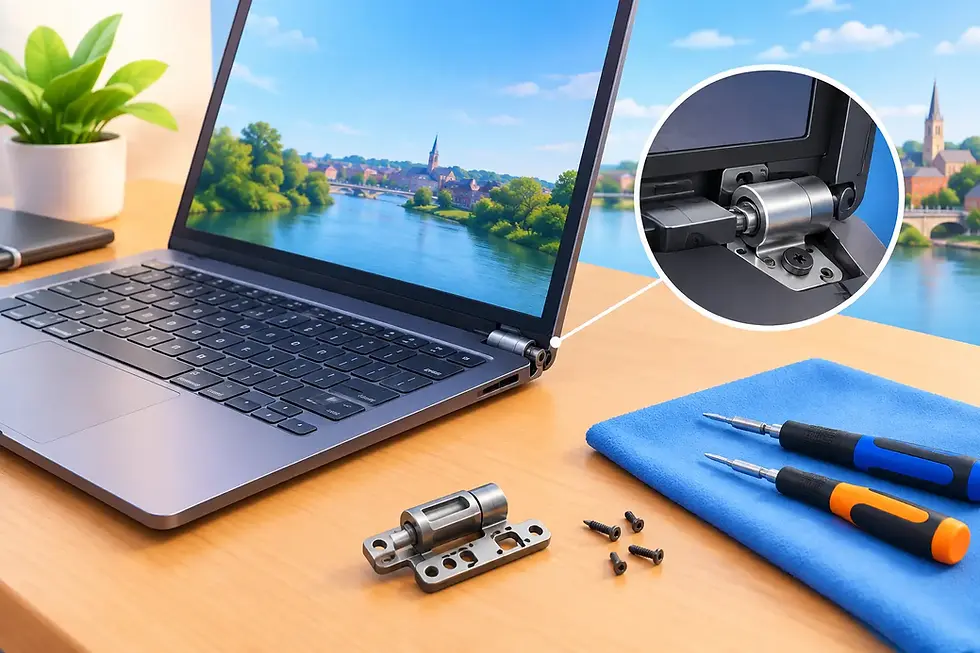
The calculation changes when there is serious liquid damage, a failed motherboard, extensive hinge damage or several faults at once. These can require more labour and more parts, with no guarantee that another aged component will not fail shortly afterwards. That does not mean repair is impossible, but it does mean the quote needs to be weighed carefully against the value of the laptop and what you need it to do next.
Look beyond the laptop's age
Age matters, but it should not make the decision on its own. A well-built five-year-old laptop with a healthy processor, enough memory and a repairable fault may be a better long-term choice than a cheap new machine with limited storage and poor performance. On the other hand, a seven- or eight-year-old laptop that already feels slow for your normal work may not justify a major repair.
Think about the jobs you expect it to handle. Email, online banking, documents, streaming and video calls need far less power than photo editing, gaming, design work or running several business applications at once. If your laptop already handled your normal tasks comfortably before a single component failed, repair is often worth investigating.
Software support is another consideration. Some older machines cannot run current operating systems properly, or may not meet the requirements for supported versions of Windows. Windows 10 support ended in October 2025, so a laptop that cannot move to a supported system needs particular thought. Paying for a small repair may still be reasonable as a short-term measure, but investing heavily in a machine that cannot stay secure is harder to justify.
Compare the real costs, not just the ticket price
It is tempting to use a simple rule such as, “If the repair costs more than half the price of a new laptop, replace it.” That can be useful as a rough guide, but it misses the real comparison.
A new laptop may mean paying for extra memory, storage, software, a case, data transfer or a replacement charger. It also takes time to set up accounts, move documents, reinstall programmes and get everything working as before. For a small business or someone working from home, that downtime can be more disruptive than the purchase itself.
Repair costs should be compared with a replacement that offers equivalent performance, not simply the lowest-priced machine available. If your current laptop has a quality screen, a comfortable keyboard, good storage and enough power for your work, a modest repair can be excellent value.
There is still a point where replacement makes more sense. If the repair cost is high, the laptop has already needed repeated work, and it remains underpowered for your needs, it may be better to put that money towards something more dependable. A good repair technician should be comfortable saying so. Clear advice is more useful than persuading someone to repair a device that is unlikely to provide reliable service.
Your files may be the deciding factor
When a laptop will not switch on, many people understandably focus first on replacing the device. But the information stored on it can be far more valuable than the hardware. Family photographs, coursework, business records, saved passwords and years of email may all be sitting on its drive.
In some cases, a repair is the quickest route to accessing those files and making a proper backup. In others, data recovery or transferring the drive to another device may be possible even if a full repair is not worthwhile. The important thing is not to keep repeatedly switching a damaged machine on and off, particularly after liquid damage or a clicking hard drive. That can make a recoverable problem worse.
If the laptop does start, back up anything important before deciding what to do. Copy essential files to an external drive or a trusted cloud service, then you can compare repair and replacement without the pressure of fearing a permanent loss.
Signs a repair is likely to be worthwhile
Repair is often the practical option when the fault is isolated and the laptop was otherwise doing its job. This is particularly true if it is less than five or six years old, has a decent processor and memory, and has not developed a pattern of unrelated failures.
A repair is also attractive when it can improve the machine at the same time. Replacing a failing drive with an SSD, fitting a new battery or resolving overheating can give a laptop a useful second chapter. It reduces waste, avoids the disruption of a new setup and lets you keep a device you already know.
For families, students and home users, this can be a sensible way to stretch a technology budget. For local businesses, it can keep a familiar work machine in service while a longer-term upgrade plan is considered rather than rushed.
When replacement is the better investment
Replacement is usually the stronger choice if the laptop has a major board fault, is physically damaged in several places, cannot run supported software, or no longer keeps up with the work you need from it. A machine that overheats, crashes and has a worn battery may need more than one repair, even if each individual issue can be fixed.
It is also worth replacing when your needs have changed. A laptop bought for browsing and documents may not be suitable for remote work with frequent video calls, large spreadsheets or creative software. Trying to force an old machine through jobs it was never designed to handle can cost more in lost time than a planned replacement.
If you do replace it, choose based on your everyday use rather than impressive specifications you will never need. Enough memory, suitable storage, good battery life and a comfortable screen are usually more valuable than paying extra for features that will sit unused.
Get a diagnosis before making the call
The best decision comes after someone has identified the fault, explained the likely repair, and given you an honest indication of whether it is worthwhile. At Gemini Computing, the aim is to make that conversation straightforward: what has gone wrong, what it will take to put right, and whether your money would be better spent elsewhere. A 30-day repair guarantee also provides reassurance once work has been completed.
Before agreeing to either route, ask three practical questions: Will the repair solve the underlying issue? How long is the laptop likely to remain suitable for my needs? And what would a genuinely comparable replacement cost once it is set up and ready to use?
A laptop does not need to be brand new to be dependable. Give yourself the benefit of a proper assessment, protect your data first, and choose the option that leaves you with technology you can rely on tomorrow as well as today.


Comments