


Should You Choose Computer Repair in Waterlooville?

A computer rarely fails at a convenient moment. It is often the laptop needed for tomorrow’s coursework, the family PC holding years of photos, or the work machine that will not start just before an important deadline. For computer repair Waterlooville residents can depend on, the aim should be simple: find the fault, explain the sensible options clearly and get you back to using your device without unnecessary expense.
Not every problem means a computer has reached the end of its useful life. A slow machine, a cracked laptop screen, charging trouble or a Windows issue can often be repaired or improved for far less than the cost of replacing it. The right decision depends on the age of the device, the condition of its key parts and, most importantly, what you need it to do.
When computer repair in Waterlooville is the sensible choice
Repair is often the better option when the underlying computer is still suitable for your needs. A laptop that was quick enough six months ago but now takes ten minutes to start may not need replacing. It could have a failing storage drive, too little memory, unwanted software, or an operating system problem. Once the cause is identified, a targeted repair or upgrade can make a noticeable difference.
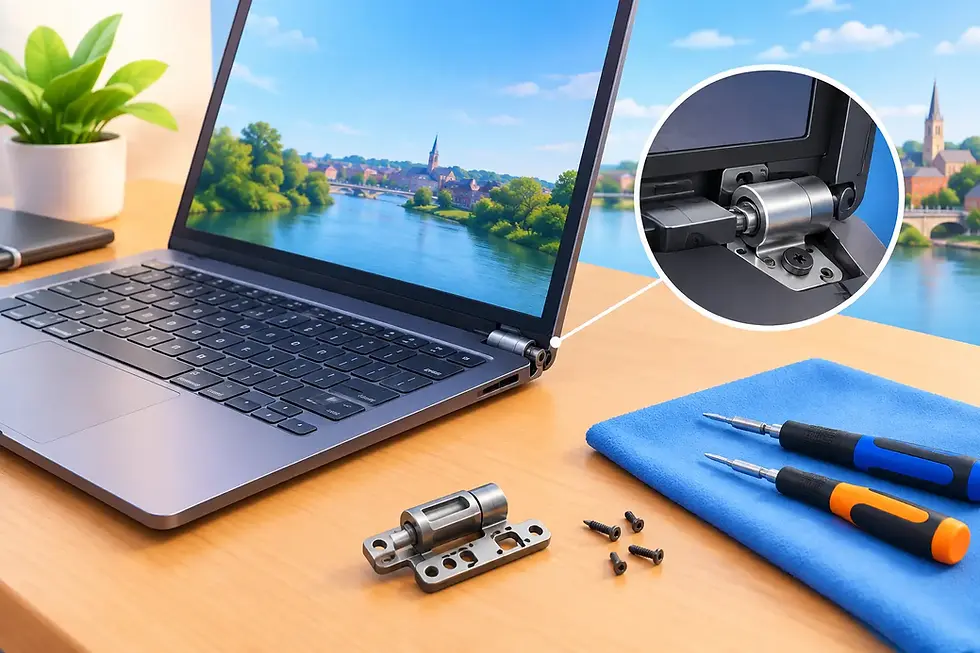
Physical damage is another common example. A damaged screen can make an otherwise reliable laptop difficult or impossible to use, but screen replacement is frequently more practical than buying a new machine. The same applies to worn charging ports, faulty keyboards, failing fans and broken hinges. These faults are frustrating, but they do not automatically mean the processor, memory and storage are beyond use.
Desktop computers can be particularly worthwhile to repair. Their components are usually easier to test and replace individually, which means a fault with a power supply, graphics card or storage drive does not have to condemn the entire system. A well-chosen upgrade can also extend its life, whether you use it for home admin, gaming, schoolwork or a small business.
There are occasions when replacement is the honest answer. If a very old computer cannot run the software you rely on, has several major faults, or needs costly parts that offer little improvement, putting money towards a newer device may make more sense. A good technician should explain that trade-off plainly rather than pushing a repair that is poor value.
Common faults that need a proper diagnosis
Many computer symptoms have more than one possible cause. That is why diagnosis matters before parts are ordered or data is moved. For example, a machine that will not turn on could have a faulty charger, battery, charging socket, power supply, motherboard or simply a display problem. Replacing the first part that seems likely is not a reliable approach.
Slow performance is equally easy to misread. It may be caused by an ageing hard drive, a lack of free storage space, an overloaded start-up list, overheating, unwanted programs or a more serious hardware fault. The fix could be a straightforward tidy-up and software check, or it may be sensible to fit a faster solid-state drive and transfer your files across.
Unexpected shutdowns, loud fans and overheating should not be ignored. Dust buildup, dried thermal compound or a failed cooling fan can leave a computer running hotter than it should. Left alone, heat can affect performance and place extra strain on internal components. Early attention can be much less disruptive than waiting for a complete failure.
A blue screen, repeated restart or error message is also worth checking properly. These problems may be related to Windows, a driver, memory, storage or a recent update. The wording on the screen can be useful, but it rarely tells the whole story. A hands-on assessment gives you a clearer route forward.
Protect your data before a repair
Your files are often more valuable than the computer itself. Family photographs, tax records, university work, customer documents and saved passwords can be difficult or impossible to replace. If your computer still starts, make a current backup before bringing it in where possible. Copy essential files to an external drive or a trusted cloud storage service, and check that the files have actually copied correctly.
If the machine no longer starts, do not keep forcing it through repeated attempts. A failing drive can deteriorate quickly, and unusual clicking, grinding or repeated error messages are reasons to stop and seek advice. Data recovery is sometimes possible, but it is a separate piece of work and its success depends on the type and extent of the fault.
It is also sensible to know your Windows login details before a repair. Technicians may need access to test the device properly after work is completed, although personal information should always be handled with care. Remove anything you do not need to leave on the machine and make a note of any software, files or settings that are especially important to you.
What a straightforward repair service should look like
A repair should not feel mysterious. You should be told what appears to be wrong, what work is recommended and whether there are alternatives. Sometimes the best option is a repair; sometimes it is an upgrade, a replacement part or a different device altogether. Clear advice helps you make the decision rather than feeling pressured into one.
Ask whether the quote includes parts, labour and testing, and whether there could be any additional cost if the diagnosis reveals another fault. It is also worth asking what happens to your data during an operating system repair or storage replacement. Plain answers at the start prevent unpleasant surprises later.
At Gemini Computing, repairs are handled with the personal attention local customers expect, rather than being passed through an anonymous process. A named technician can discuss the problem in everyday language, keep you informed where needed and make sure the repair has been properly tested. The business also provides a 30-day repair guarantee, offering useful reassurance once your device is back in your hands.
Repair, upgrade or a bespoke computer?
For some people, an upgrade is the middle ground between repairing an old system and buying a completely new one. Replacing a hard drive with a solid-state drive, increasing memory or fitting a suitable graphics card can make a desktop or laptop feel far more capable. However, upgrades need to suit the rest of the machine. Fitting an expensive component into a system with an ageing processor or limited power supply may not give the value you expect.
A bespoke computer can be a better answer when your requirements are specific. Perhaps you need a quiet home-office PC, a family computer that can handle several users, a capable gaming system, or a machine for photo and video work. Building around the software you use, the space you have and your budget avoids paying for features you will never need.
The same practical thinking applies to accessories. A protective case, screen protector, dependable charger or correctly specified cable is a small cost compared with repairing preventable damage. They are not exciting purchases, but they can make daily use easier and help your devices last longer.
Choosing local help with confidence
Before booking a repair, describe the issue as clearly as you can. Mention when it began, whether the computer has been dropped or exposed to liquid, any error messages, and changes made shortly before the fault appeared. This gives the technician a useful starting point and can speed up diagnosis.
Choose a repair service that is happy to explain the likely cause without burying you in jargon. You should feel comfortable asking whether repair is worthwhile, how long work may take and what is covered afterwards. Price matters, but careful diagnosis, quality parts and accountable workmanship matter too.
A faulty computer can be stressful, especially when it interrupts work or cuts you off from important files. Get advice early, keep a backup where you can, and choose the repair that gives your device - and your budget - the best chance of going further.


Comments